Manage employee information, contacts, profiles, and new user approvals.
UtopiaSystem Workspace
¶ HR Space
HR Space is the Human Resource workspace in UtopiaSystem. It provides HR-related functions for managing employees, attendance, leave, overtime, recruitment, performance, announcements, organization records, and HR approvals.
The workspace is designed for HR teams and authorized management users. It separates HR operations into clear parent areas so each user only sees the functions related to their role and permission.
¶ Current Status
HR Space is active in the deployed system and opens into HR documentation choices based on the HR areas users are allowed to access.
| Launcher location | Spaces / HR |
|---|---|
| Main app access | hr.app.access |
| Workspace areas | HR Recruiter, HR Generalist, and HR Performance |
| Status | Active |
- HR Space is permission-based and only shows HR areas the user can open.
- HR Recruiter is available through
hr.recruiter.view. - HR Generalist is available through
hr.workspace.manage. - HR Performance is available through
hr.performance.view.
¶ Purpose
The purpose of HR Space is to centralize HR operations in one workspace.
Instead of managing HR tasks across separate tools or manual records, HR users can access employee information, approvals, attendance records, recruitment workflows, and performance-related pages from the same application. HR Space supports both daily HR administration and higher-level HR review activities.
Review leave, overtime, benefits, and advanced salary workflows.
Monitor attendance, HR calendars, birthdays, and workforce visibility.
Handle job postings, candidate tracking, hiring records, and recruitment pipelines.
Review feedback, incident reports, performance analytics, and related details.
Users only see the HR divisions and tools they are allowed to open.
¶ Access Control
HR Space is permission-based. Users can open HR Space only if they have the correct access rights.
| Access Area | Policy Key | Purpose |
|---|---|---|
| HR App Tile | hr.app.access | Allows the HR app to appear on the main launcher. |
| HR Recruiter | hr.recruiter.view | Allows access to HR Recruiter workspace. |
| HR Generalist | hr.workspace.manage | Allows access to HR Generalist workspace. |
| HR Performance | hr.performance.view | Allows access to HR Performance workspace. |
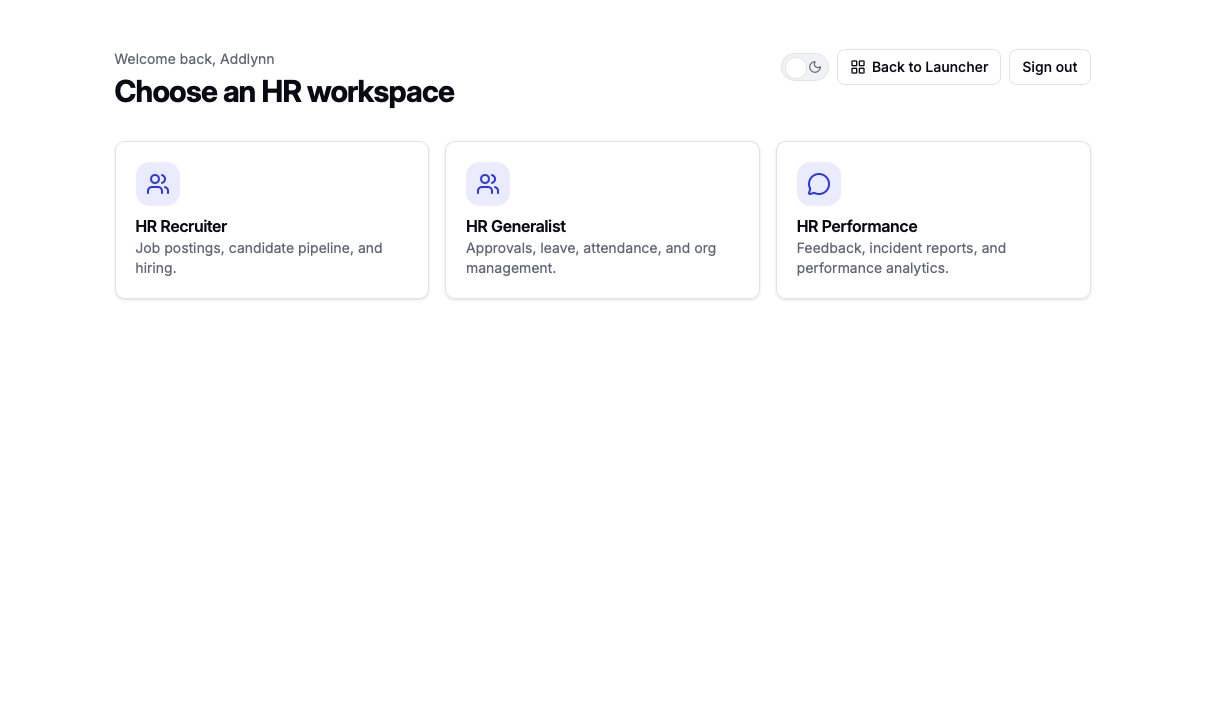
¶ Choose HR Documentation
Select the HR module documentation you want to read.
¶ HR Recruiter
Job postings, candidate pipeline, hiring records, and candidate tracking.
Open documentation¶ HR Generalist
Employee records, approvals, leave, attendance, announcements, and organization management.
Open documentation¶ HR Performance
Feedback, performance records, analytics, reports, and performance review activity.
Open documentation¶ Workflow
A typical HR Space workflow may include these steps.
- Review employee registration
- Manage employee records
- Monitor attendance
- Review leave applications
- Verify overtime
- Publish announcements
- Manage organization data
- Review performance feedback
- Track recruitment candidates
¶ Current Status
HR Space is active in the deployed system.
| HR App | utopia-hrms |
| HR Recruiter | /hr-recruiter-space |
| HR Generalist | /hr-generalist-space |
| HR Performance | /hr-performance-space |
HR Space is the main workspace for HR operations in UtopiaSystem.
It provides structured access to HR Recruiter, HR Generalist, and HR Performance functions so HR users can manage employee records, attendance, leave, overtime, announcements, organization data, performance feedback, and recruitment workflows in one centralized system.
¶ Latest Updates
Latest updates
Recent documentation and system notes.
Resolved an issue where Shift Roster drafts were incorrectly displayed as published.
Shift Roster enhancements were released across Work, HRMS, and Personal, keeping schedule-related views aligned across the system.
The company dropdown in the HR calendar is now scrollable, so all company options can be selected.
The overtime verification and approval process for HR Generalists was updated to improve clarity and workflow handling.
Team leader payslip access now depends on HR assignment instead of the employee's own payslip permission, and disabled delivery now shows a clearer message.
Employee personal information labels now use Full Name and Short Name instead of First Name and Last Name.
An additional employment category is now available in employment details for HR Generalists.