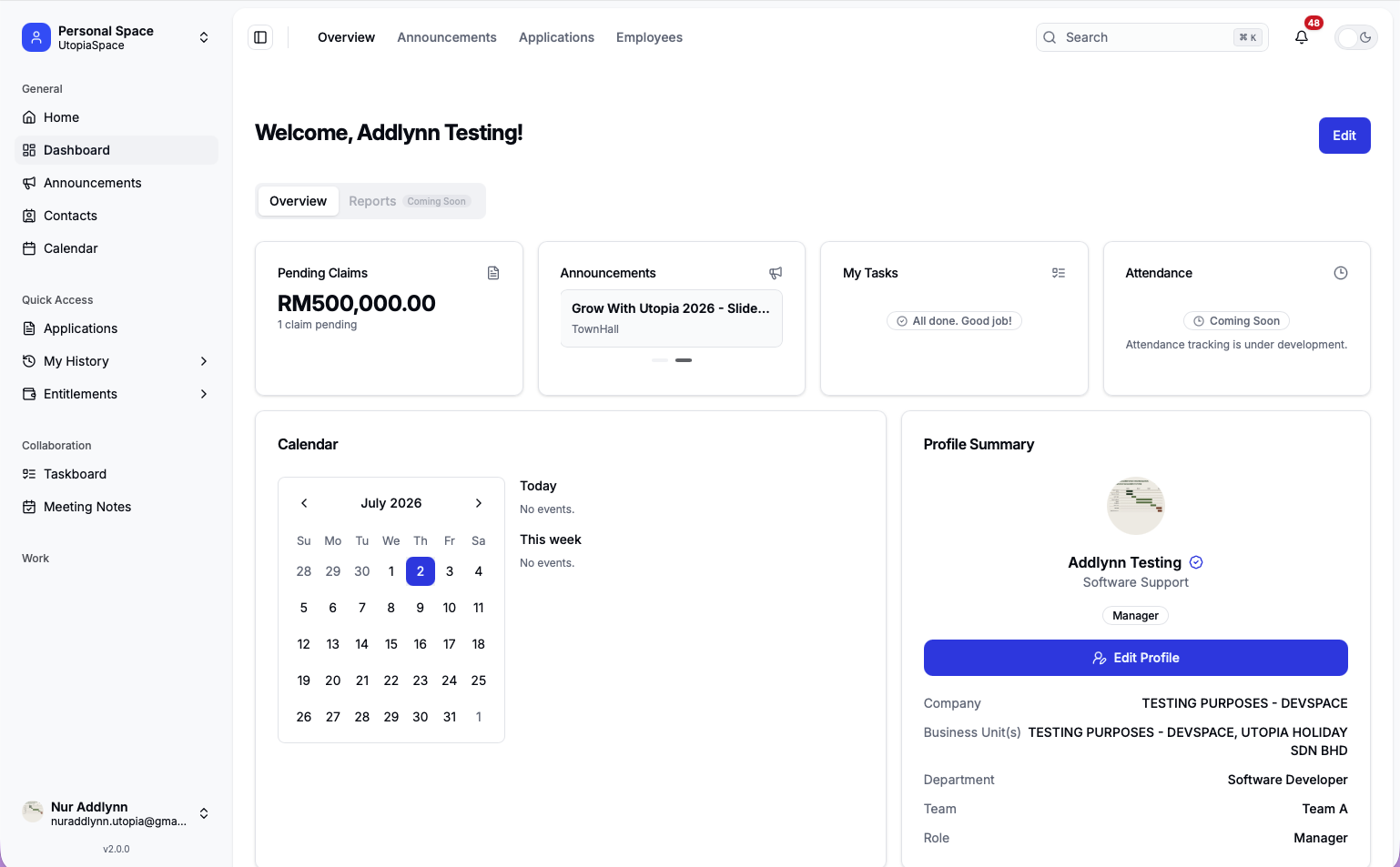
Dashboard, announcements, contacts, calendar.
UtopiaSystem Workspace
¶ Personal Space Features
Personal Space is the employee self-service workspace inside UtopiaSystem for personal submissions, request tracking, profile information, collaboration, and user access tools when permitted.
Work-related approvals, reports, review, warehouse, and operational admin workflows are documented under Work Space. Personal Space focuses on the features an employee uses for their own work records and requests.
¶ Current Status
Personal Space is active in the deployed system and appears for signed-in users as the default employee self-service workspace.
| Launcher location | Spaces / Personal |
|---|---|
| Launcher behavior | Personal Space appears for users after sign-in. |
| Main purpose | Employee self-service, personal submissions, request tracking, profile, collaboration, and permitted access tools. |
| Status | Active |
- Personal Space is the main employee self-service area.
- Work approvals, reports, review, warehouse, and operational admin workflows belong under Work Space.
- Developer tools are visible only to users with the required developer access.
¶ Feature Groups
Personal Space is divided into employee features, collaboration tools, entitlements, profile settings, and restricted developer access tools.
Employee self-service submission features.
User submission tracking and request status.
Leave balance, petty cash, benefits.
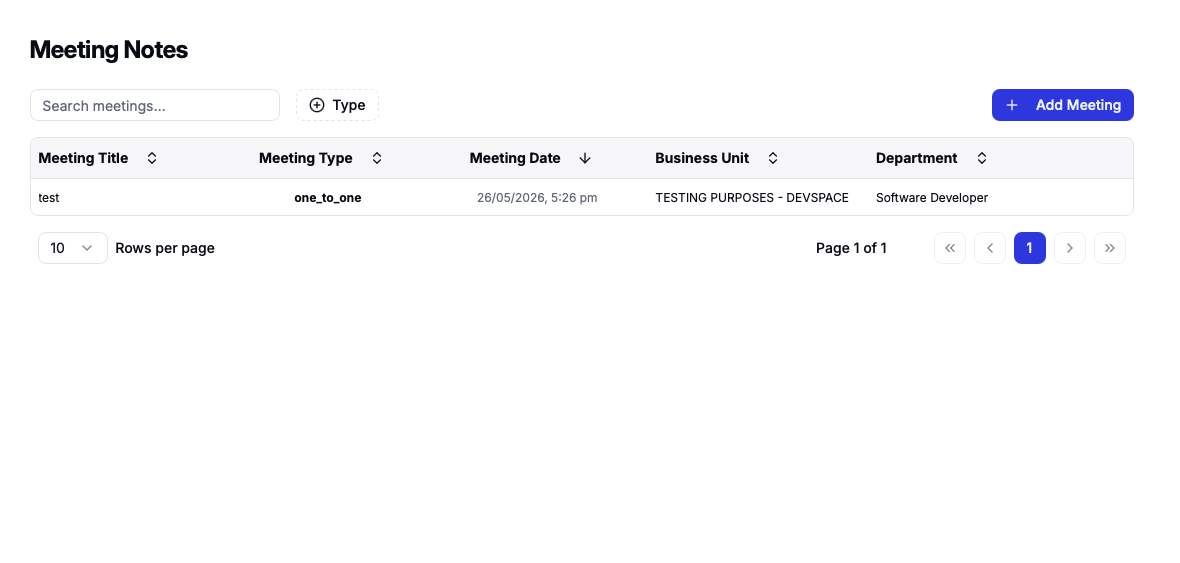
Taskboard and meeting notes.
Access Manager, User Access, User Access Audit, and User Access Roster.
User profile, support, help center, settings.
¶ General Features
The general area gives users a landing point for company information, personal reminders, and shared work context.
¶ Dashboard
The dashboard is the main landing page after entering Personal Space.
- Pending claims
View and manage your pending claims.
- Announcements
Stay updated with the latest company announcements.
- My tasks
Track your assigned tasks and follow up on what's due.
- Attendance information
Check your attendance record and schedules.
- Profile summary
Quick overview of your profile and employment details.
- Quick actions
Access frequently used actions and requests with ease.
¶ Shared Context
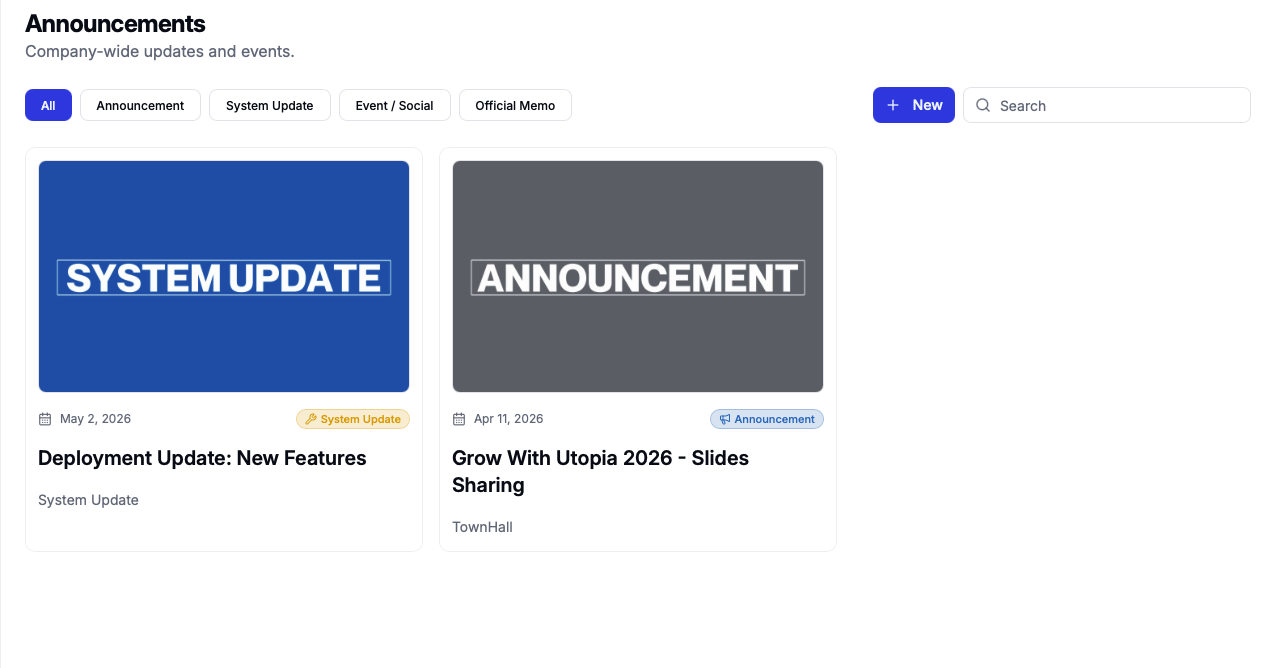
Announcements
Company updates, notices, announcement list, and announcement details.
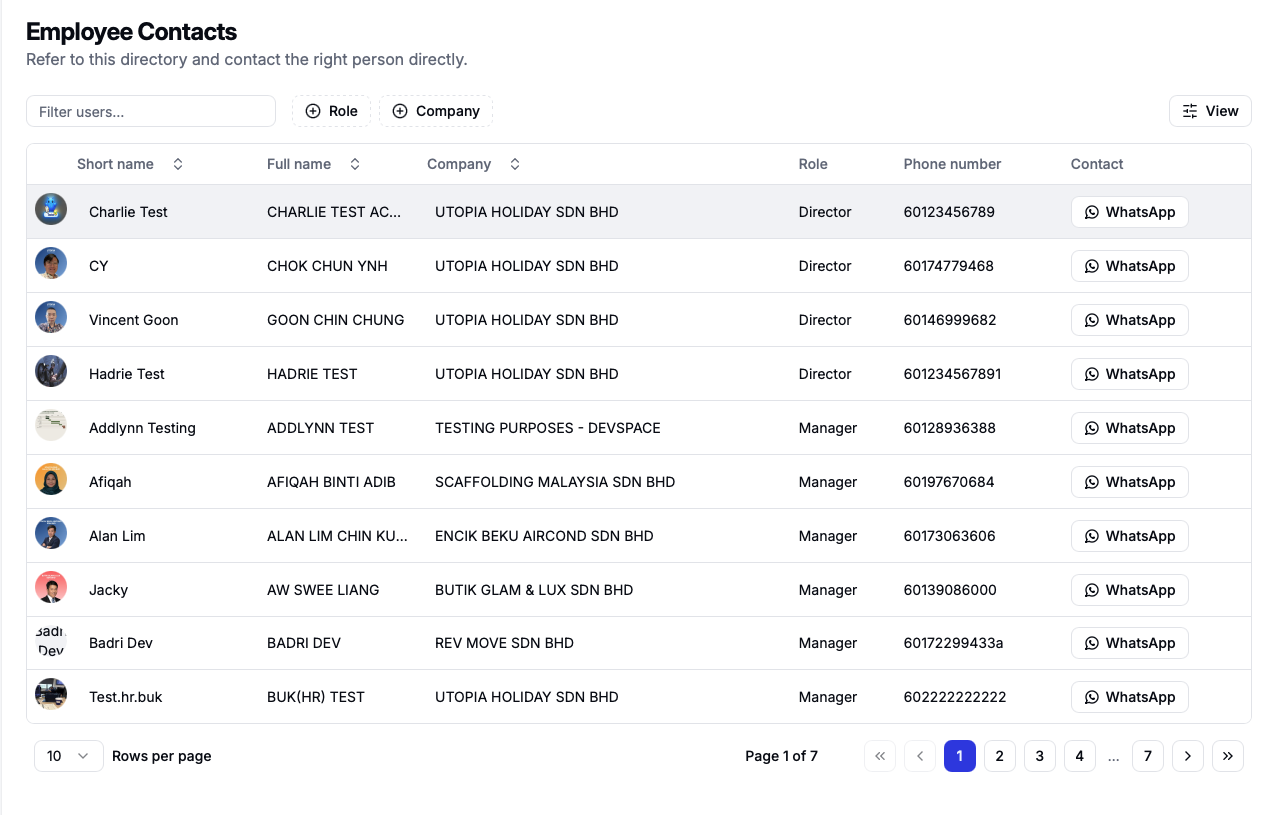
Contacts
Employee directory and organization search.
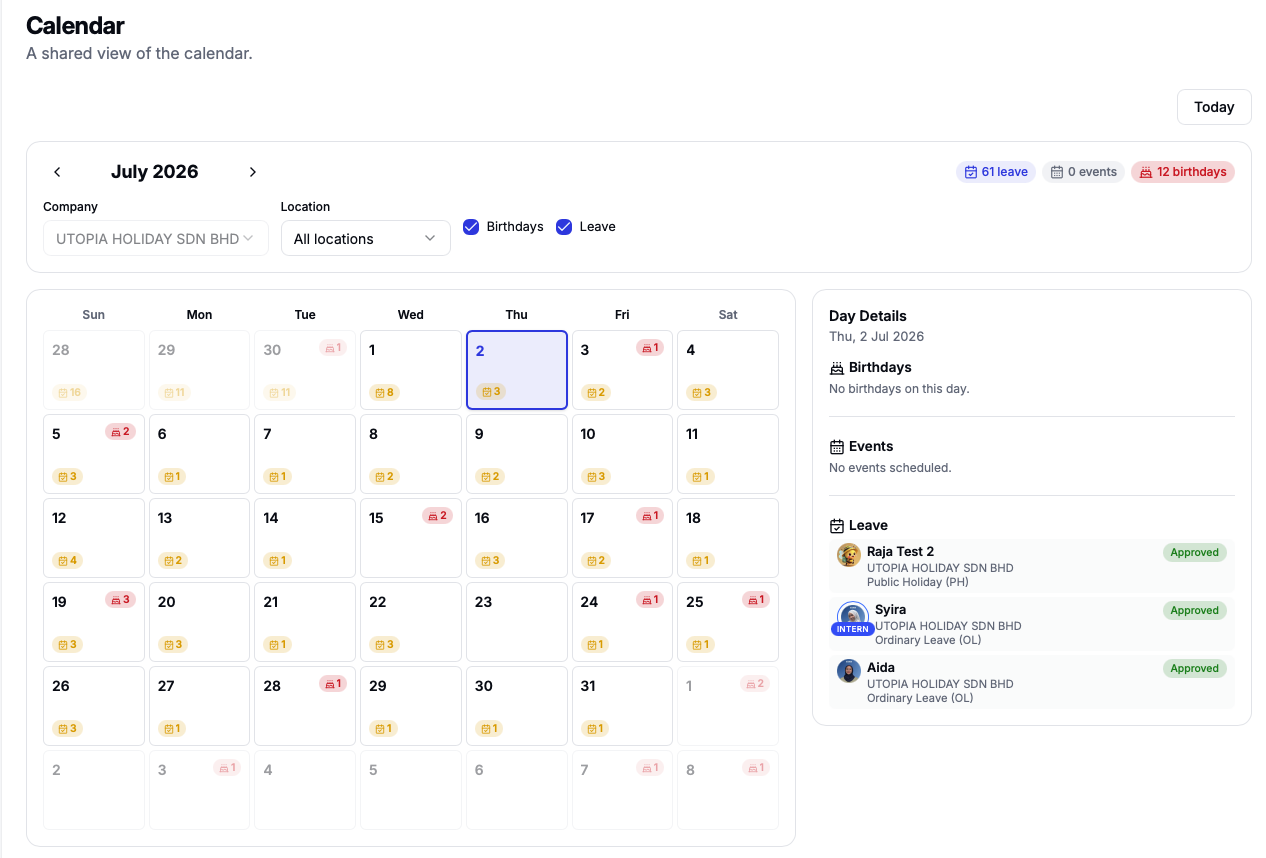
Calendar
Shared or public calendar view for company dates, schedules, and events.
¶ Applications
The Applications page is the self-service menu for employees. It groups submission features into clear application cards.
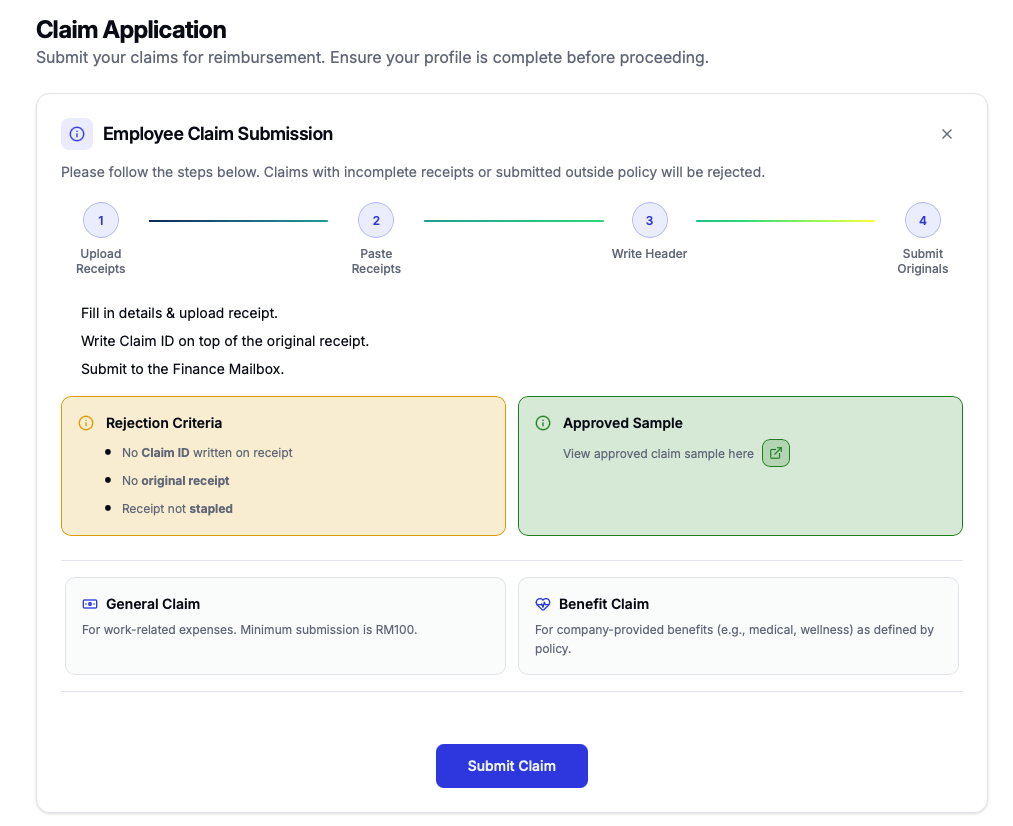
¶ Claim Submission
Submit general claims and benefit claims from one claim workflow.
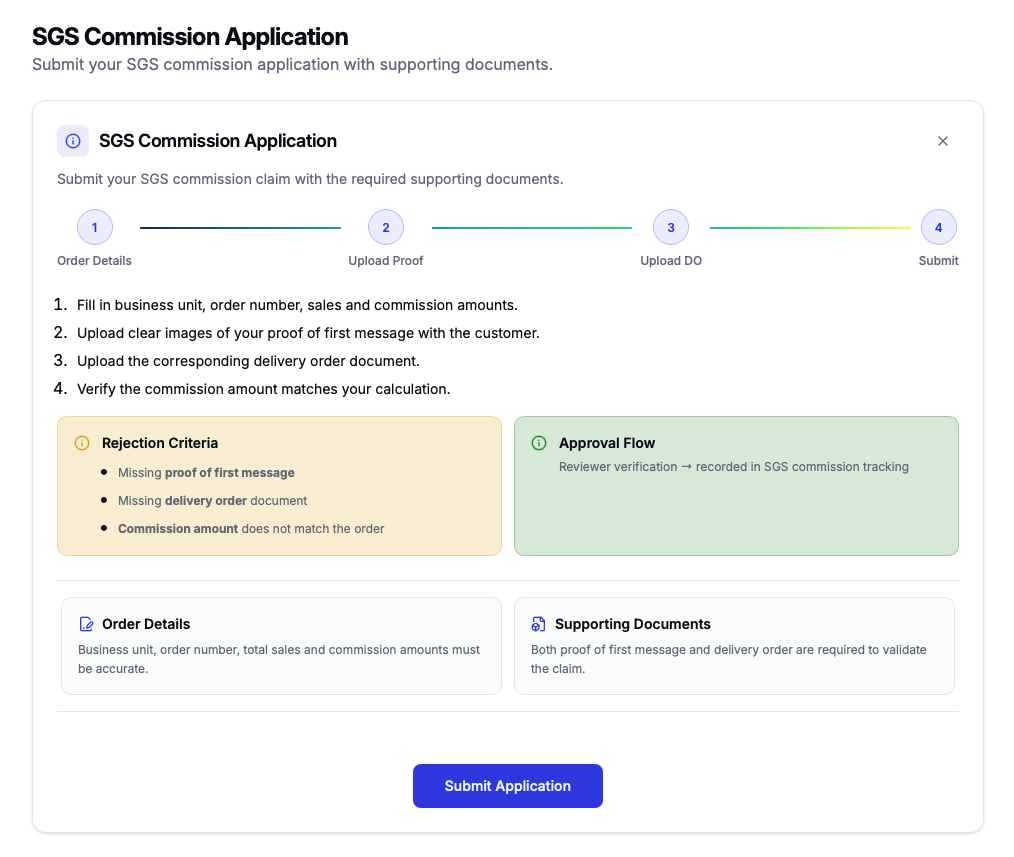
¶ SGS Commission
Submit SGS commission applications with proof and supporting documents.
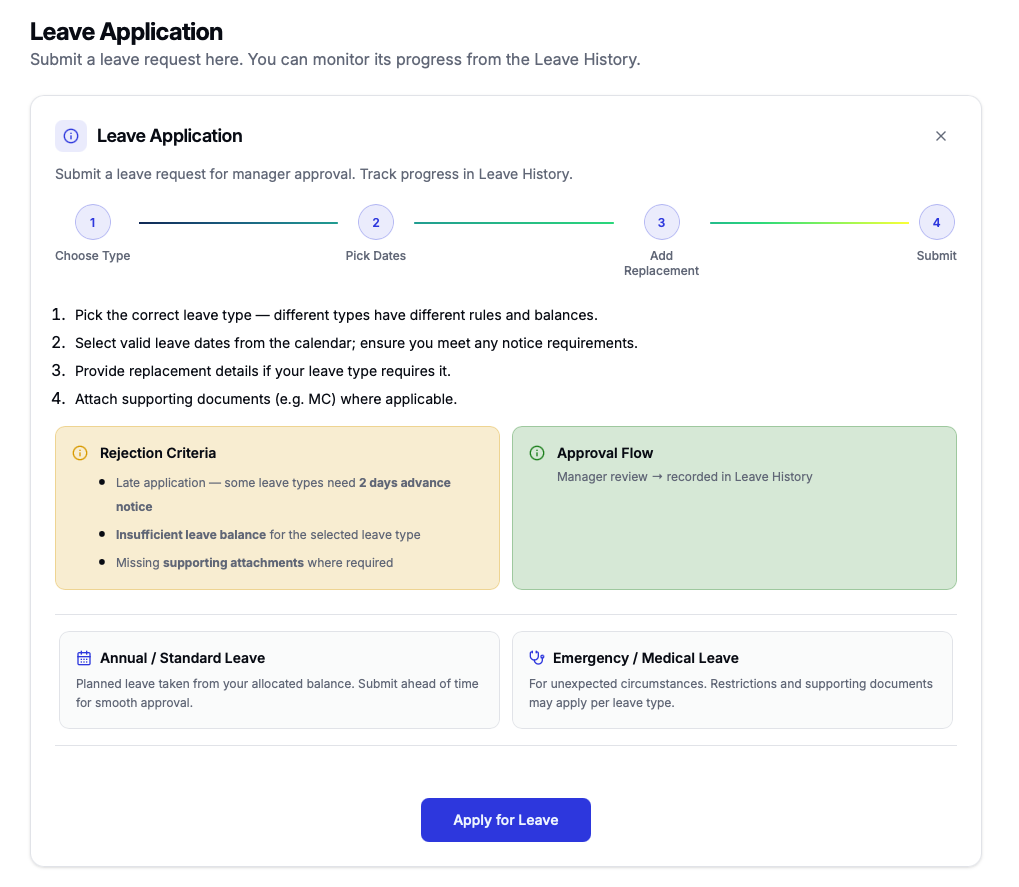
¶ Leave Application
Apply for leave and track the approval progress from Leave History.
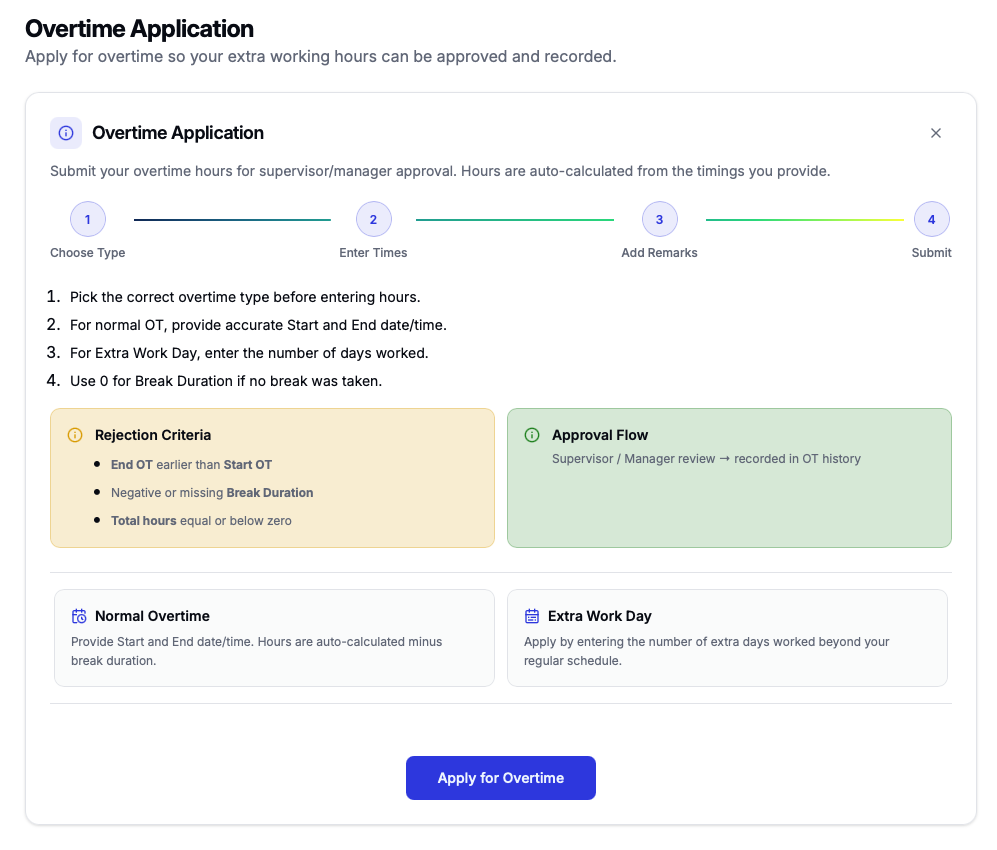
¶ Overtime Application
Submit overtime hours for supervisor or manager approval.
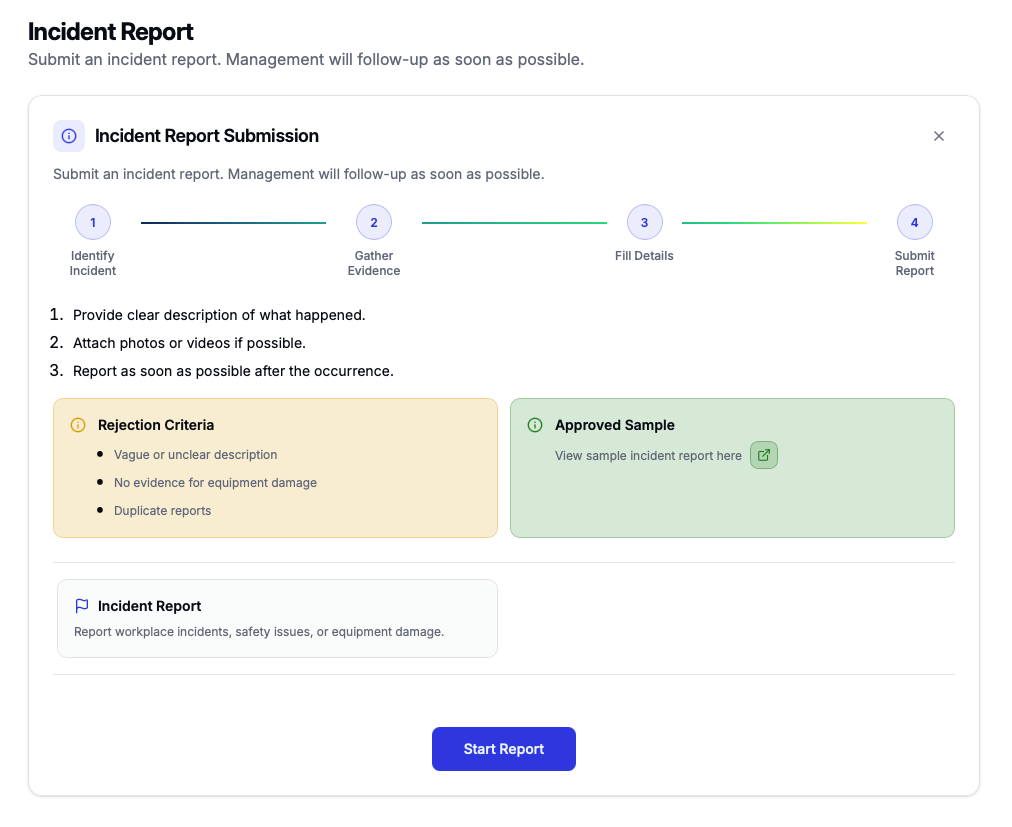
¶ Incident Report
Report workplace incidents, safety issues, or equipment damage.
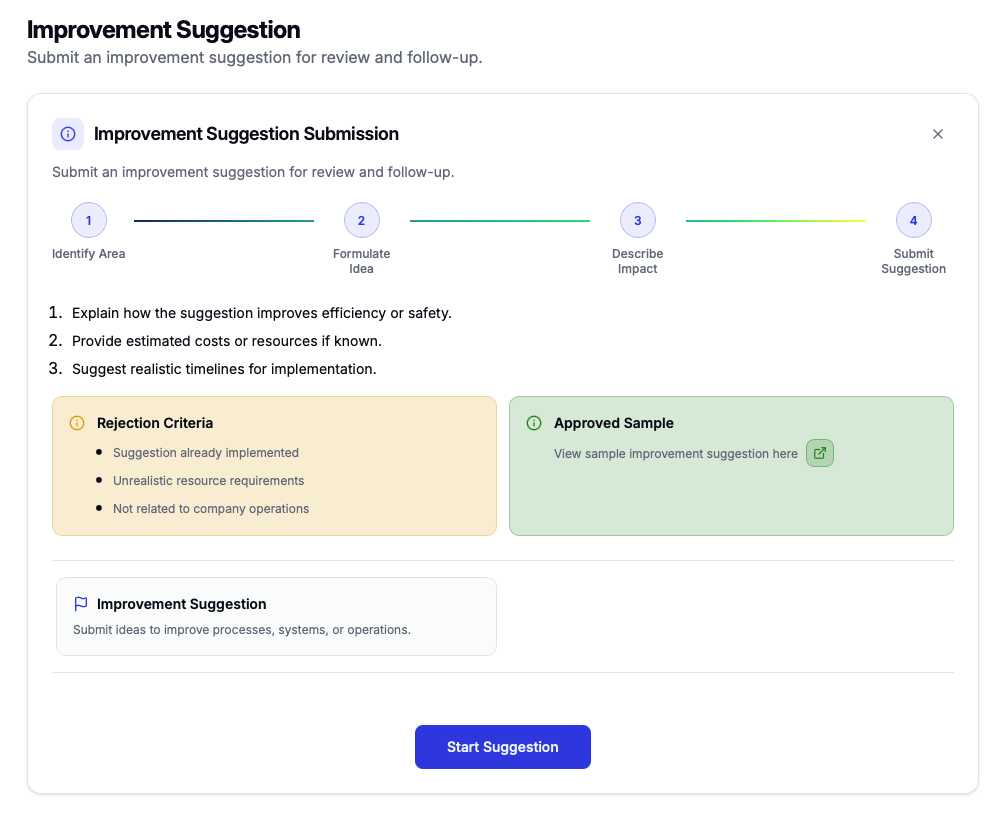
¶ Improvement Suggestion
Submit ideas to improve processes, systems, or operations.
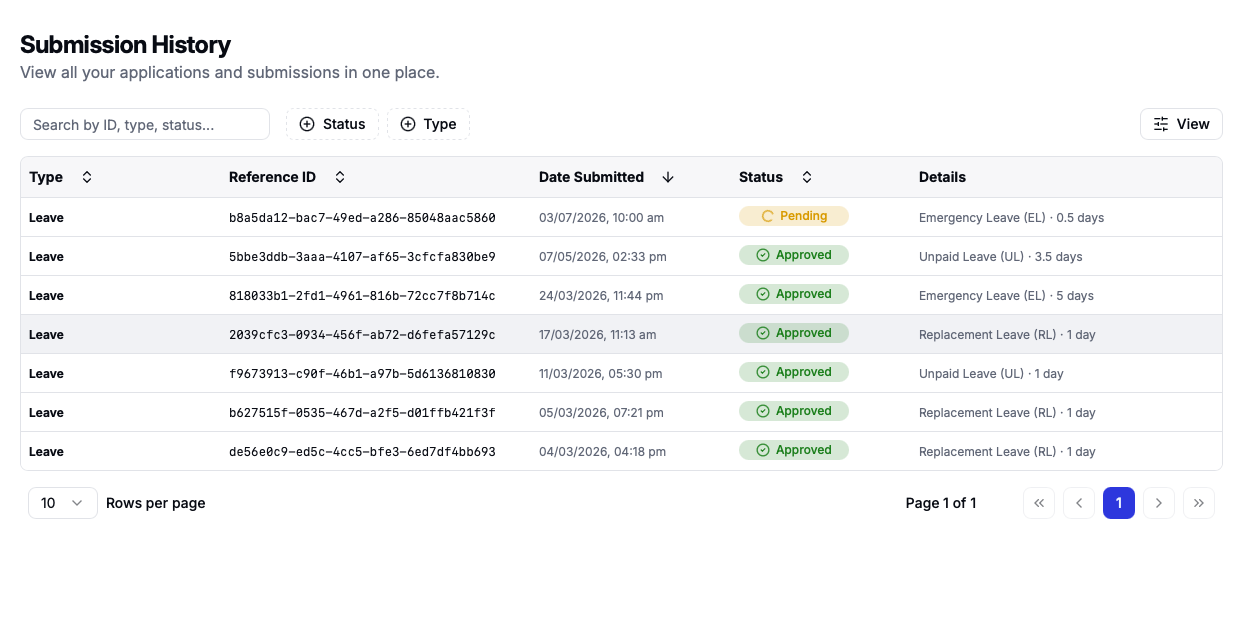
¶ Submission Areas
Each application area can include submission, tracking, history, and detail views depending on the workflow.
¶ Claims
General claim submission, benefit claim submission, claim type chooser, tracking, and detail views.
¶ SGS Commission
SGS commission submission, tracking, and detail view.
¶ Leave
Leave application, leave history, leave detail view, and leave balance.
¶ Overtime
Overtime application, tracking, and detail view.
¶ Incident Reports
Incident report submission, tracker, and detail view.
¶ Improvement Suggestions
Improvement suggestion submission, tracker, and suggestion detail view.
¶ Application / Form / Request Workflows
These are the common requirements and typical steps for Personal Space submissions and trackers.
Leave Application
¶ Requirements
- Access to Personal Space.
- Available leave balance.
- Leave type, start date, end date, and reason.
- Supporting document if required.
- Manager or approver assigned in the system.
¶ Typical Workflow
- Open Personal Space
- Open Leave Application
- Select leave type
- Choose dates
- Enter reason
- Upload document if required
- Submit application
- Approver reviews
- Track status
Leave History
Leave Balance
¶ Requirements
- Access to Personal Space.
- Leave allocation record.
- Valid employee profile.
- HR-maintained leave entitlement.
¶ Typical Workflow
- Open Personal Space
- Open Leave Balance
- View entitlement
- Check used balance
- Check remaining balance
- Review type breakdown
- Confirm before applying
- Contact HR if incorrect
Overtime Application
¶ Requirements
- Access to Personal Space.
- Overtime date, start time, and end time.
- Overtime reason and supporting details.
- Assigned manager or approver.
¶ Typical Workflow
- Open Personal Space
- Open Overtime Application
- Select overtime date
- Enter start and end time
- Enter reason
- Add details if required
- Submit request
- Manager reviews
- HR verifies
- Track status
Overtime Tracker
General Claim
¶ Requirements
- Access to Personal Space.
- Claim category, amount, date, and description.
- Receipt or supporting document.
- Manager approval may be required.
- Finance verification is required after approval.
¶ Typical Workflow
- Open Personal Space
- Open General Claim
- Select category
- Enter date
- Enter amount
- Add description
- Upload receipt
- Submit claim
- Manager reviews
- Finance verifies
- Track status
Benefit Claim
¶ Requirements
- Access to Personal Space.
- Benefit entitlement and benefit type.
- Claim amount and description.
- Receipt or supporting document.
- Finance verification.
¶ Typical Workflow
- Open Personal Space
- Open Benefit Claim
- Select benefit type
- Enter claim details
- Enter amount
- Upload receipt
- Submit claim
- Review entitlement
- Finance verifies
- Track status
SGS Claim
¶ Requirements
- Access to Personal Space.
- SGS claim details and amount.
- Receipt or supporting document.
- Valid employee profile.
- Approval and finance verification.
¶ Typical Workflow
- Open Personal Space
- Open SGS Claim
- Fill claim details
- Enter amount
- Upload document
- Submit claim
- Approver reviews
- Finance verifies
- Track status
Claim Tracker
Incident Report
¶ Requirements
- Access to Personal Space.
- Incident date, description, and location.
- Involved staff information if applicable.
- Supporting attachment if required.
¶ Typical Workflow
- Open Personal Space
- Open Incident Report
- Enter date
- Enter location
- Describe incident
- Add involved staff
- Upload attachment
- Submit report
- Reviewer checks
- Track status
Incident Report Tracker
Improvement Suggestion
¶ Requirements
- Access to Personal Space.
- Suggestion title and improvement description.
- Related department or area.
- Supporting attachment if required.
¶ Typical Workflow
- Open Personal Space
- Open Improvement Suggestion
- Enter title
- Describe idea
- Select related area
- Upload attachment
- Submit suggestion
- Reviewer checks
- Track status
Improvement Suggestion Tracker
Petty Cash Tracker
Meeting Notes
¶ Entitlements
Entitlement tools help users check balances, allowances, and benefit-related information.
Leave Balance
View leave balance and leave entitlement.
Petty Cash
Track petty cash-related information.
Benefit Entitlement
View benefit entitlement and past benefit claims.
¶ Collaboration
Collaboration tools support shared tasks, team follow-ups, and meeting documentation.
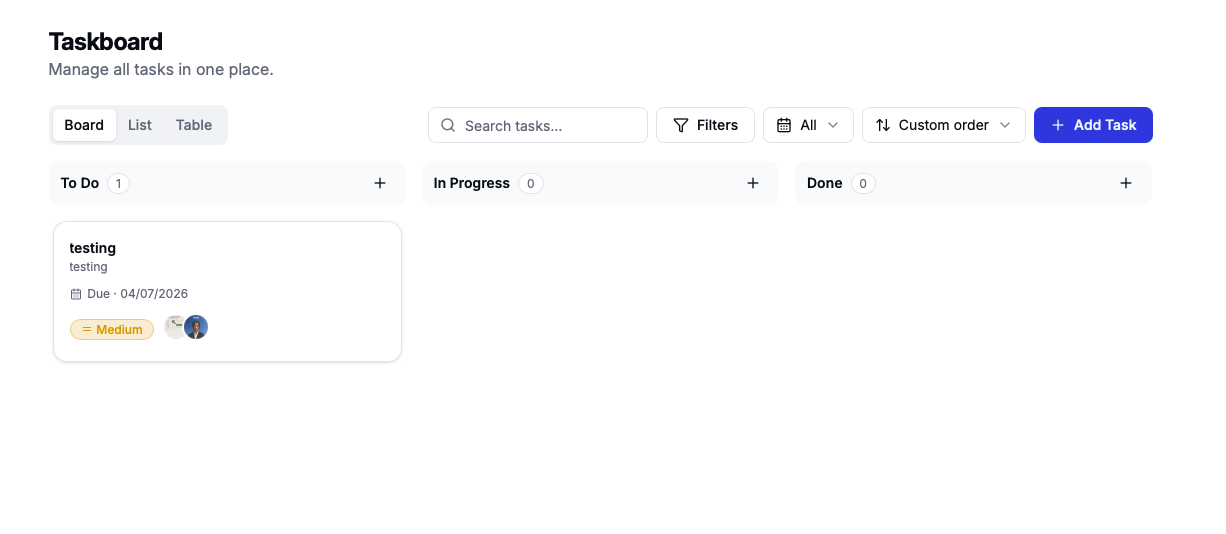
Taskboard
Personal or team task management, including Taskboard and Taskboard V2.
Meeting Notes
Meeting notes dashboard, form, and detail view.
¶ Profile, Settings & Access Tools
Profile and access tools are available based on role, feature flags, and administrator permissions. Developer tools are visible only to users with developer.workspace.view.
¶ Profile and Settings
My Profile, support page, Utopia Help Center, Settings Management, and System Settings.
¶ Access Manager / User Access
Developer-gated tools used to inspect or manage app tile access, workspace access, Work feature access, and scoped permissions.
¶ User Access Audit
A read-only audit trail for access changes, including who changed what, which user was affected, and when the change happened.
¶ User Access Roster
A roster view for reviewing users and their assigned access state across the deployed platform.
User Access allows authorized admins to grant or revoke app tile access, workspace access, Work feature access, business-unit scopes, department scopes, submitter-role filters, and responsible-level filters. Access is deny-by-default, and changes apply after the target user refreshes, refocuses, or logs in again.
¶ Access & Permissions
Personal Space does not show the same tools to every user. What a person can see depends on the access given to their account.
¶ What Users See
Users only see the sidebar items, app cards, records, and developer tools that they are allowed to use.
¶ Who Controls Access
Admins or authorized managers can grant access to specific apps, features, departments, business units, or work scopes.
¶ Why Scopes Matter
Scopes limit which records a user can view, submit, approve, or review, such as only one department or business unit.
¶ When Changes Apply
Access changes usually apply after the user refreshes the page, refocuses the app, or signs in again.
App accessFeature accessBusiness-unit scopeDepartment scopeSubmitter-role scopeResponsible-level scope
¶ Latest Updates
Latest updates
Recent documentation and system notes.
Post OT staff can now manually submit Overtime Applications if their automatic record is missing. The system will guide you to check your OT History first and prevent duplicate requests. This ensures all overtime is recorded accurately.
Employees can now select 'UTOPIA ACCELERATOR SDN BHD' from the company dropdown when submitting General or Benefit claims in the Personal app.
The Leave History and Leave Details pages in the Personal app have been improved. You can now view your leave applications grouped by categories such as General, Medical, or Special Leave. The approval process for leave requests has been simplified to a manager-only timeline, and applicant names are now displayed more accurately.
Users will now see a correct breakdown of SOCSO and SKBBK contributions in their Hub payslips within Personal Space, resolving an issue where SKBBK was incorrectly grouped under SOCSO.
The leave cascade application and tracker have been updated with a new, more accurate calculation logic. This ensures that leave applications are processed correctly within your personal space.
We've rolled out an update that significantly improves the mobile responsiveness of various applications within your Personal Space, including Backcharge, Leave, Overtime, SGS Claims, and Supplier Payment. This ensures a smoother and more consistent experience when accessing these features on mobile devices.
The leave application chooser is now enabled on all hosts within the Personal space, ensuring consistent access for all users.
The new mobile-aligned Leave Application chooser is now available to all users. When applying for leave, you will now see a step-by-step chooser interface instead of the legacy inline form. This improves the user experience for submitting leave requests.
Payslip access for teams has been decoupled for better privacy. We've also introduced a new 'Resigned' employee status, allowing limited login access for former employees.
Users can now view and download their payslips and commission slips directly from the My Profile section. This includes access to historical documents.
The registration process has been enhanced to collect more detailed work information, including dropdowns and photo uploads. Non-active users are now directed to a pending status page.
Users can now track their attendance history and access a new Replybox Dashboard. Several fixes have also been applied to improve the leave application process.
Users can now experience improved overtime application and treatment processes within their Personal Space.